How to move Discord conversations into and out of private threads
Pippin can move messages into an existing private thread, move a private thread’s messages out to a channel, or wrap a range in a new private thread. Visibility follows Discord’s private-thread rules. The person moving needs access to both the source and the destination.
Authors, media, and reactions stay with the messages. Only members who were @mentioned in the original message bodies get pinged. Otherwise no one is pinged.
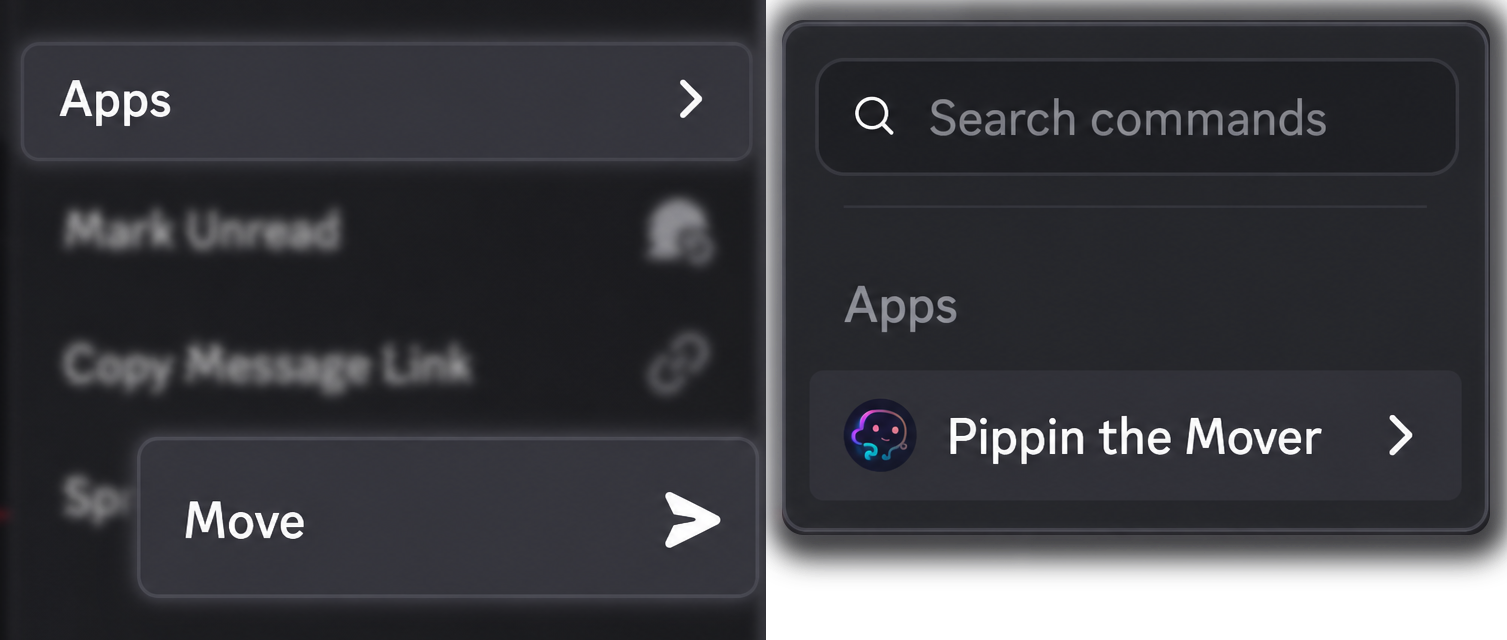
Every move uses the same command: right-click a message, or open ⋯, then Apps → Move.
Into an existing private thread
- Right-click the first message you want to move, then Apps → Move.
- In the destination picker, search for the private thread, or paste its Discord link. The picker can list private threads you can access.
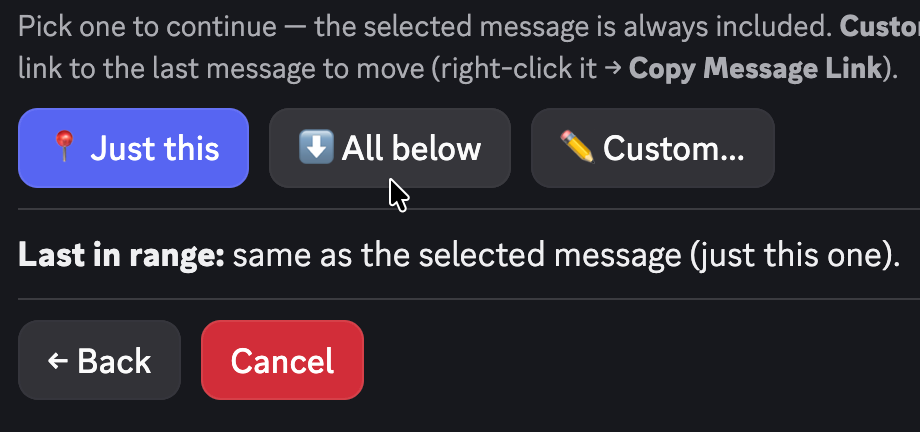
- Choose how many messages: just this one, a counted range, or All below.
- Confirm on Ready to roll?. After the move, choose whether to delete the originals. If you do not answer, Pippin keeps them.
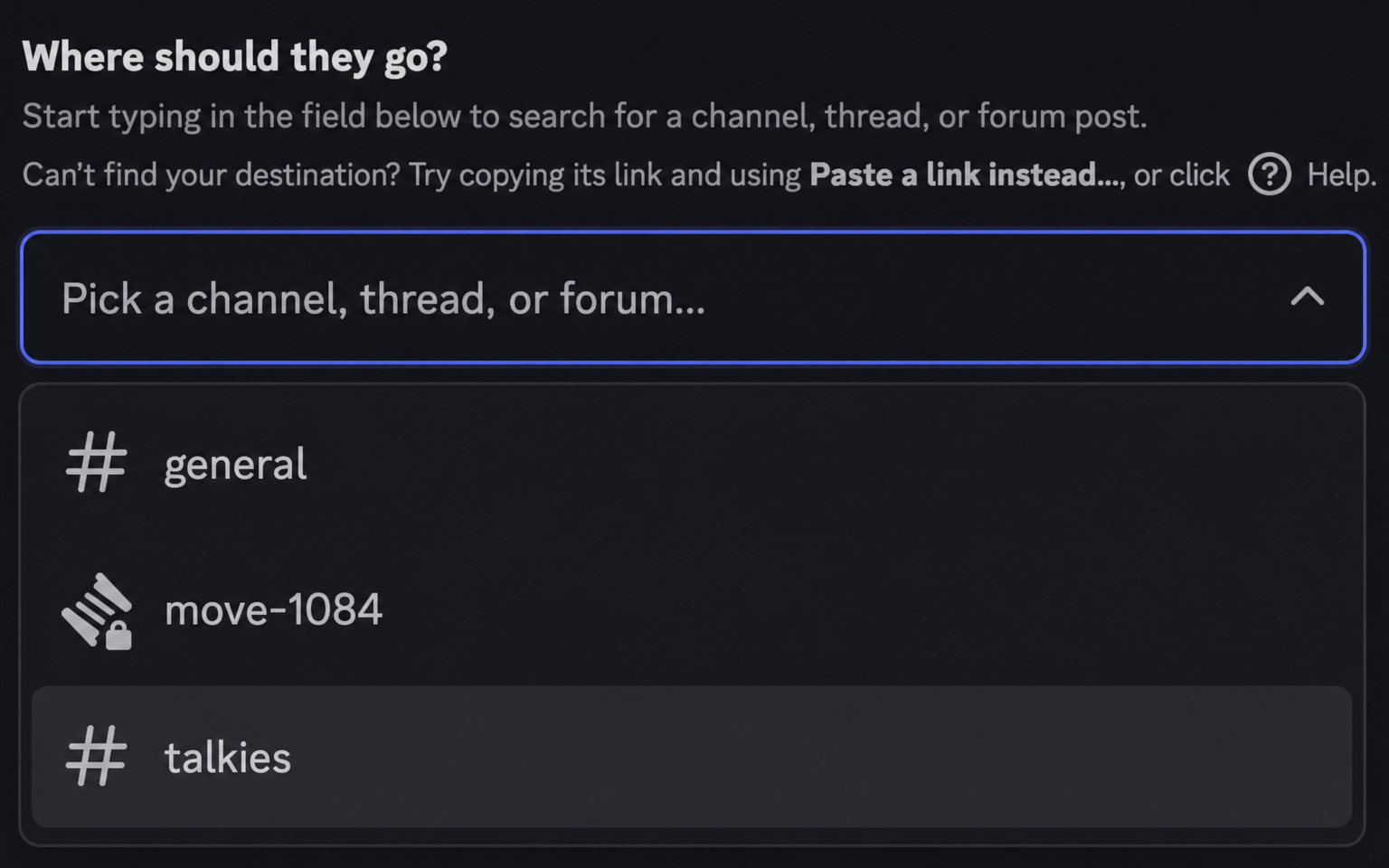
Pippin checks the permissions for a private-thread destination before anything moves. If you cannot open that thread yourself, it is not a destination you can pick.
Out of a private thread
Open the private thread and run Apps → Move there. To move the whole thread, start on the first message and choose All below.
The destination can be a text or announcement channel, another thread (public or private), an existing forum post, or a forum channel. A channel can stay flat, or you can wrap the messages into a new thread. A forum channel becomes a new forum post.
If the whole thread moved, Pippin can delete the original thread after you say so. If only some messages moved, it deletes only those messages, and only if you choose Delete.
Wrap messages in a new private thread
Pick a text or announcement channel as the destination. Pippin then asks whether to wrap the messages into a new thread. Choose Yes (private).
Pippin creates the thread, names it from the source content, and copies the auto-archive duration when it is recreating a thread. The new thread opens with a disclaimer: the original author, the timestamp, and a jump link back to where the conversation started. The moved messages follow, still showing each author’s server nickname and avatar.
Yes (public) is the same step when the new thread should be public. Leaving the messages unwrapped posts them flat into the channel.
Who can see what
Discord private threads are visible only to members of that thread. Pippin does not change that rule. A move into a private thread does not publish the conversation into the parent channel.
The person who runs the move needs access to the source and to the destination. Pippin checks that case up front, including thread-creation permission when the move creates a thread.
The bot needs View Channel on a private channel or it cannot see it. Add the Pippin the Mover role and allow View Channel if the thread’s parent channel is private. The rest of the permission checklist is on Pippin permissions and troubleshooting.
Pings
Only members who were @mentioned in the original message bodies get pinged. Otherwise no one is pinged. Moving a sensitive thread does not re-notify everyone who could see the source.
What is preserved
Webhook reposts keep the author’s server nickname and avatar, attachments, embeds, and emoji reactions, in the original order. Stickers are included where Discord allows them. Reply links become ordinary messages in that same order. Pins are not carried over.
One run moves up to 200 messages. Each message counts as one move, plus one extra move when Pippin creates the new thread.
FAQ
Can I move messages into a private thread?
Yes. Run Apps → Move, then either pick an existing private thread or pick a channel and choose Yes (private) when Pippin asks whether to wrap the messages. You need access to both sides.
Can I move a private thread to another channel?
Yes. Inside the private thread, run Apps → Move on the first message, choose All below, and pick the channel. You can leave the messages flat or wrap them in a new public or private thread. The thread-move page has the same flow for public threads: move a Discord thread to another channel.