Limit where Pippin can see
Use Pippin’s role to limit which categories, channels, threads, or forums it can see. In the permission picker the role is listed as Pippin the Mover unless you renamed it. A channel Pippin cannot view will not appear as a move destination.
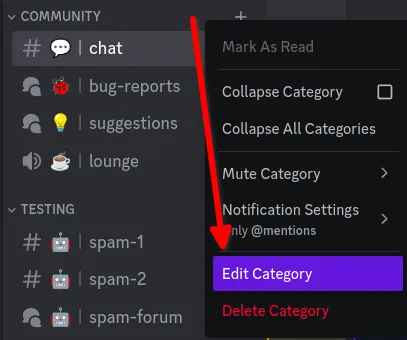
To block a whole category, right-click the category and choose Edit Category.
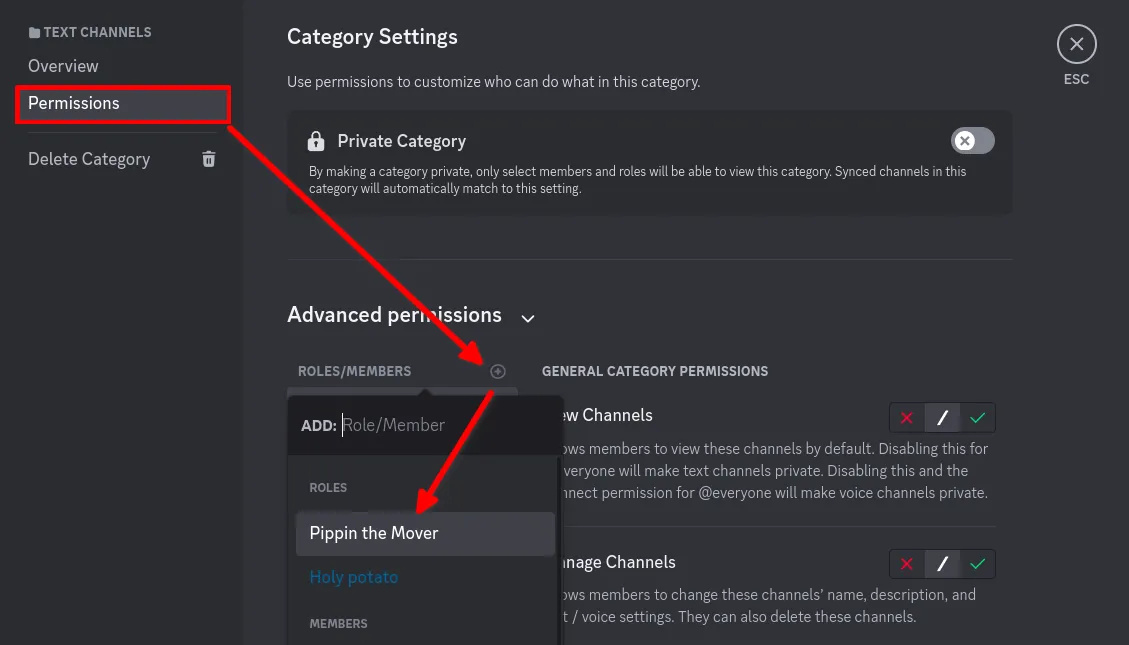
Open Permissions, choose + next to Roles/Members, and select Pippin the Mover.
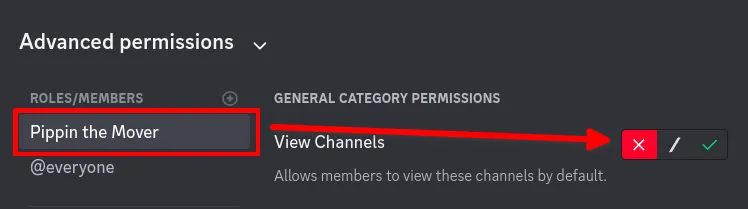
Set View Channel to the red deny mark. Pippin then cannot see the channels, threads, or forums in that category.
The same override works on a single channel. Channel-level denies beat the permissions granted when the bot was invited, which is also why a move can fail in one channel after it worked in another.