Feeds
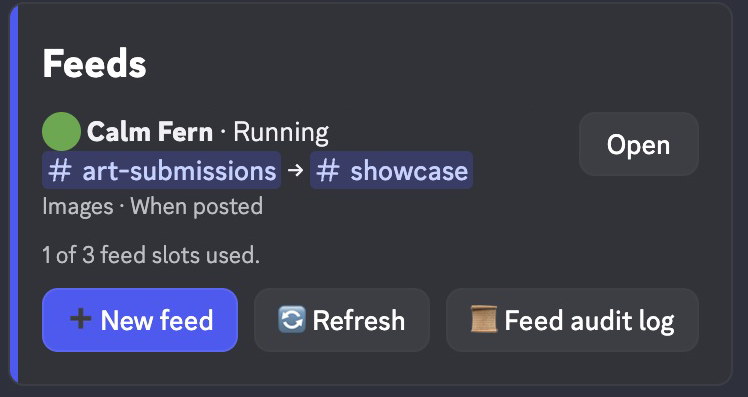
A feed is an automation. It watches up to 25 channels and copies each new post that matches its settings into one destination, in this server or another one. It copies each post once. Edits and deletes of the original don’t follow the copy.
| You want to | Use |
|---|---|
| Forward every new post | Copy: 💬 All, When: 📨 When posted |
| Forward only images, files, or posts with a word | Copy: 🖼️ Images, 📎 Files, or 🔤 Text match |
| Forward only what a moderator picks | When: ⭐ When reacted |
| Forward only some authors, or skip some | Authors: 🎯 Only selected or 🚫 Everyone except selected |
| Keep the author’s name and avatar | Post as: 👤 Exact Message Copy |
| Move posts instead of copying them | Originals: 🗑️ Delete after copy |
| Send posts into a partner server | Another server, then /feed-link there |
Commands
| Command | What it does |
|---|---|
/feed | Opens the feed panel. Create, edit, start, pause, or delete feeds, fix problems, and set the feed audit log. In a destination server it also lists 📥 Incoming feeds. |
/feed-link secret:<code> | Finishes a cross-server feed in the target server. Pippin shows the full command. The code expires after 10 minutes. |
Who can use feeds
Run /feed to open a private panel. The command has no arguments or
subcommands. Feed management needs Manage Messages and read access in every source and
the destination, plus posting access at the destination. Channel role and member
overrides apply. Incoming moderators can pause or delete with destination access
without access to the source server.
Set up a feed
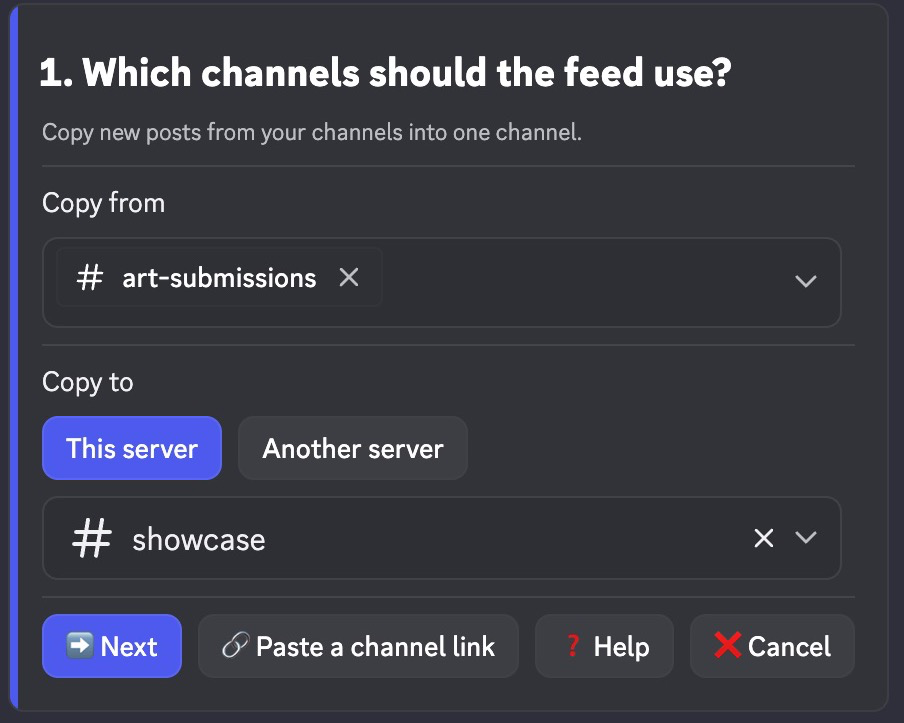
- Select ➕ New feed.
- On 1. Which channels should the feed use?, pick up to 25 source channels. This server is the default. Pick one destination there. Destinations can be channels, public threads, or forum posts. If the picker doesn’t list a thread, select 🔗 Paste a channel link. Then select ➡️ Next.
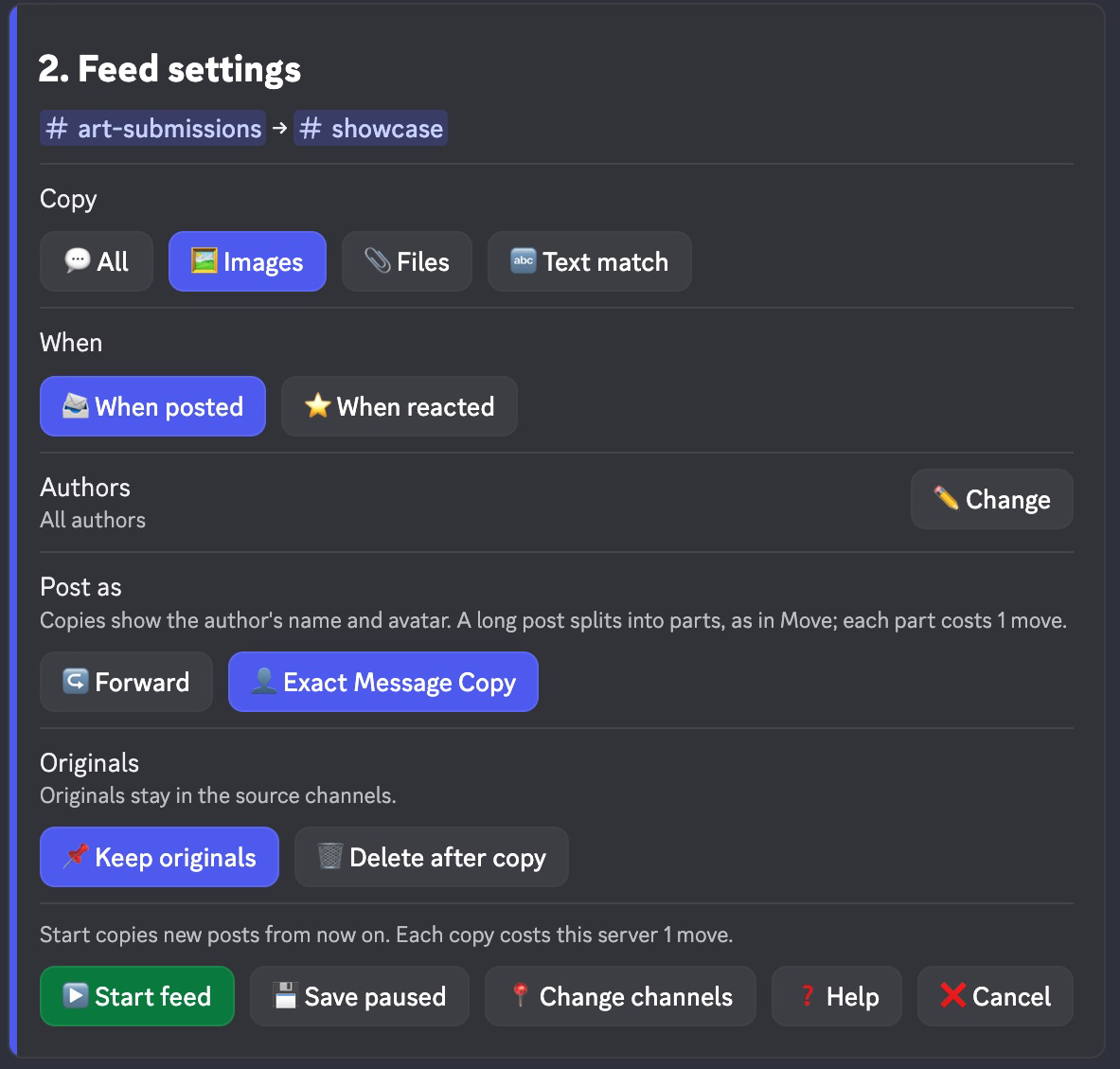
- On 2. Feed settings, choose what to copy and how to post it. Blue marks the current choice.
- Select ▶️ Start feed, or 💾 Save paused to start it later. A feed saved without starting reads Not started.
Sources belong to this server. Private channels work: you and Pippin need access to every channel, and Pippin checks that again before each copy. Anyone who can read the destination sees the copies, so check who can see it before you copy from a private channel. Age-restricted channels can’t be used. A channel used by another feed is reserved, even while that feed is paused.
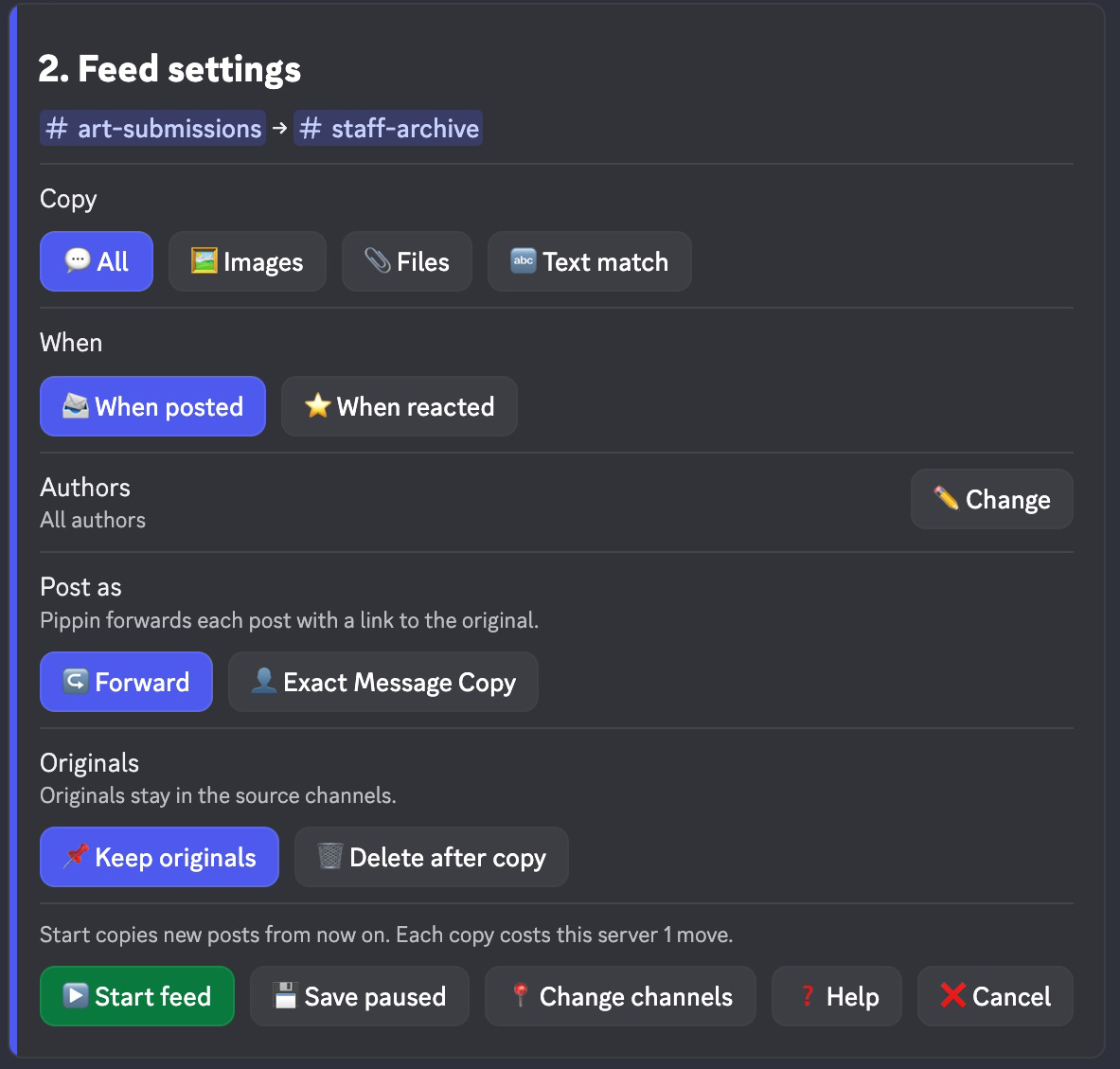
Help on each setup screen explains the choices. Back keeps your choices.
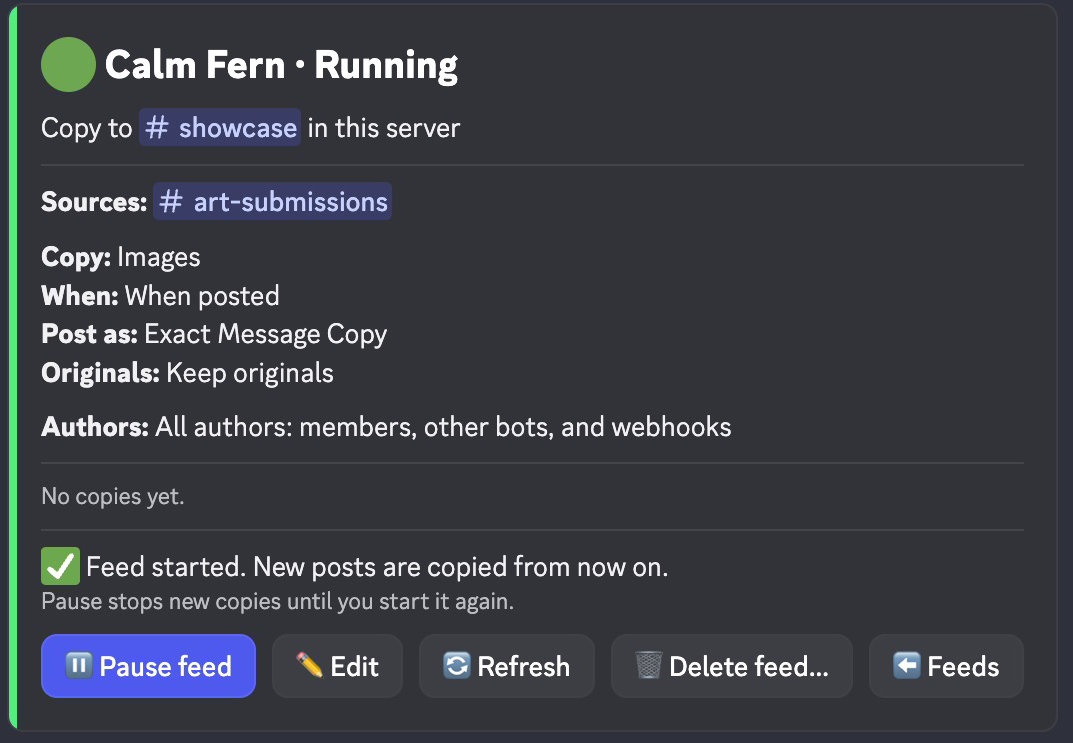
The main feed panel shows every source, the complete text filter, chosen authors, output, originals, state, and problems.
Use another server
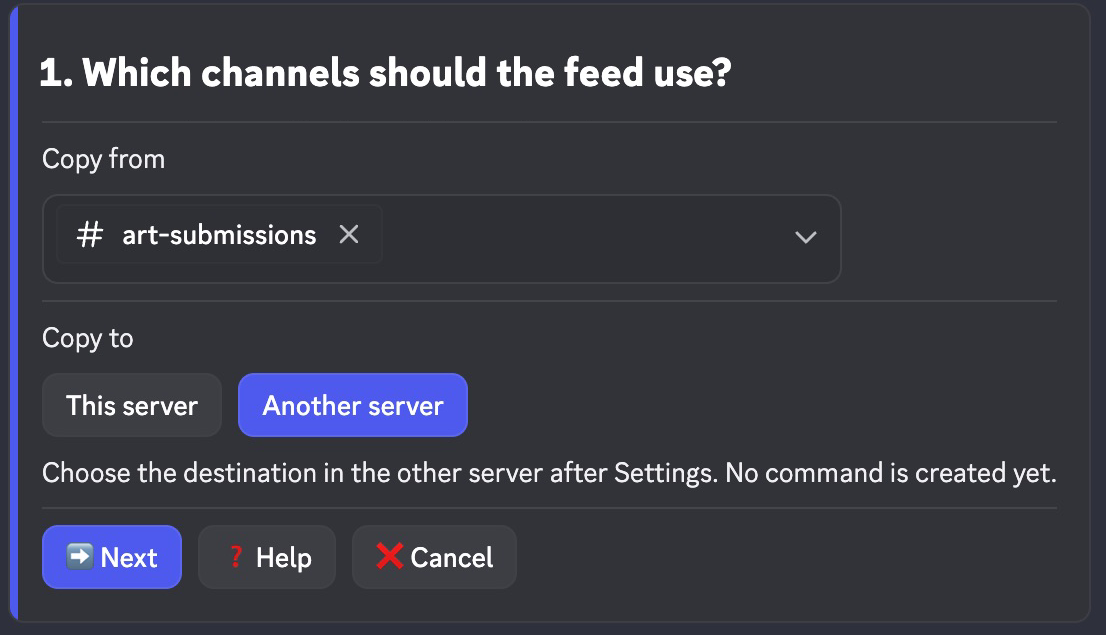
- On 1. Channels, select Another server above the destination. Select your sources, then Next. No code is created yet.
- Choose the filter, When, Authors, Post as, and Originals on 2. Settings. Select Continue in other server to freeze those choices.
- Copy the displayed
/feed-link secret:<code>command. Run it in the target server with the same account. - Check the frozen source and settings summary. Choose the destination with the native picker or 🔗 Paste a channel link. Select ▶️ Start feed there.
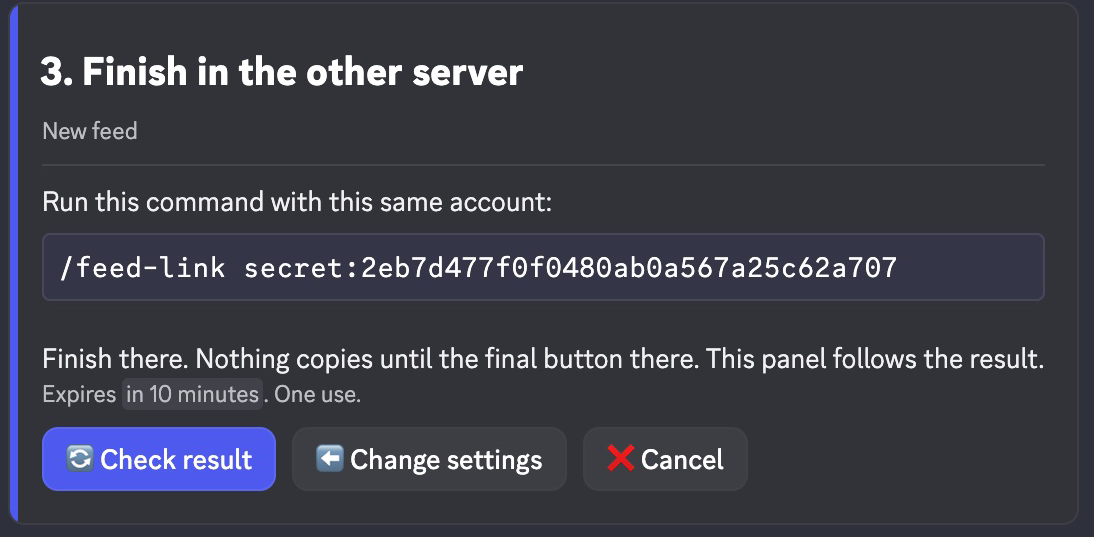
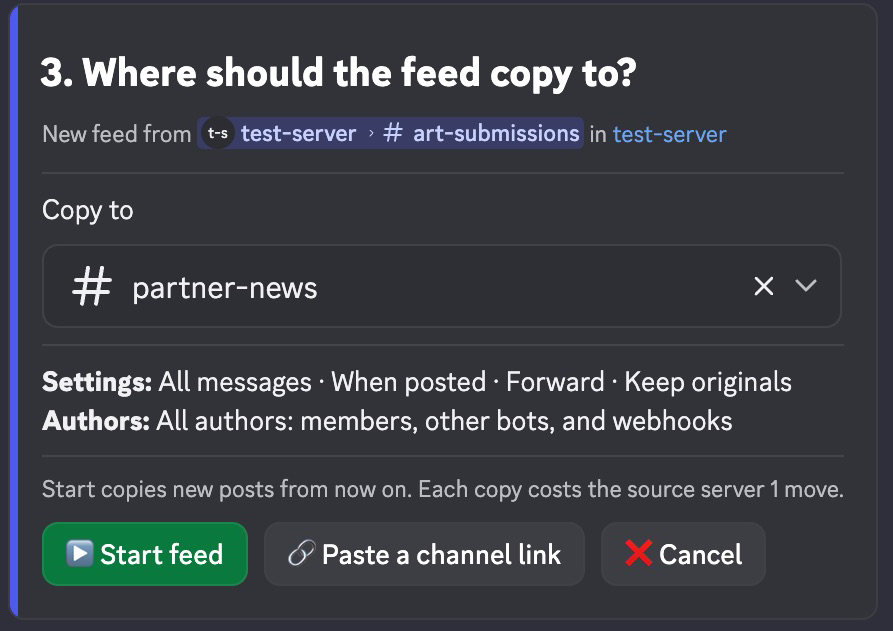
You finish in the target server. There is no separate approval or return step. Issuing the command and choosing a destination send nothing and cost no moves. The code expires after 10 minutes. Back or Cancel in the source panel invalidates it. You must remain a moderator in both servers, and Pippin must be in both. The final button checks current access and the permissions for your chosen output.
Compatible edits can Save changes in the source server while their existing approval remains valid. Changed sources or endpoints need Continue in other server, then Save changes in the target. This keeps the same feed and its current running or paused state. An edit of a paused feed offers 💾 Save paused or ▶️ Save and start in the target, so one command finishes the job.
A paused remote feed uses Continue in other server, then ▶️ Start feed there. Its saved destination stays fixed and preselected. You can also cancel and change its settings in the source server. Old approval codes without saved settings require a new command.
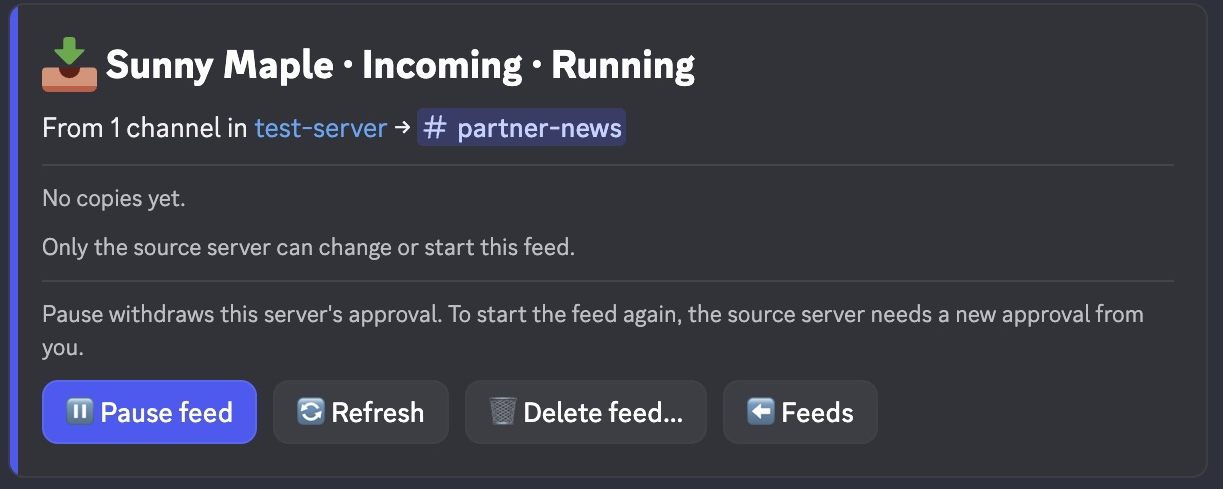
In the destination server, /feed lists the feed as 📥 Incoming.
Moderators there can open it to see its status, then select
⏸️ Pause feed or 🗑️ Delete feed…. Pausing withdraws their approval.
The incoming panel does not expose source settings or Start. The handoff
panel shows frozen settings only after Pippin checks source access. Only the
source server pays for copies.
Settings
Copy selects messages:
- 💬 All copies every eligible post.
- 🖼️ Images needs an image attachment with a known type and size. It does not decide whether an image is art.
- 📎 Files needs any attachment.
- 🔤 Text match copies posts that contain your text. Case matters.
A match copies the whole message, with its caption and every file.
When decides what triggers a copy. 📨 When posted copies new posts. ⭐ When reacted opens an emoji picker with common and server emoji. You can also paste one. A post is copied when a member with Manage Messages in both channels adds that emoji. Past reactions don’t count. Removing a reaction keeps the copy. Pippin saves an accepted selection and attempts delivery immediately. Accepted selections stay queued while busy. A worker checks pending work every 15 seconds for recovery. Discord response time, rate limits, and earlier queued work can delay the copy.
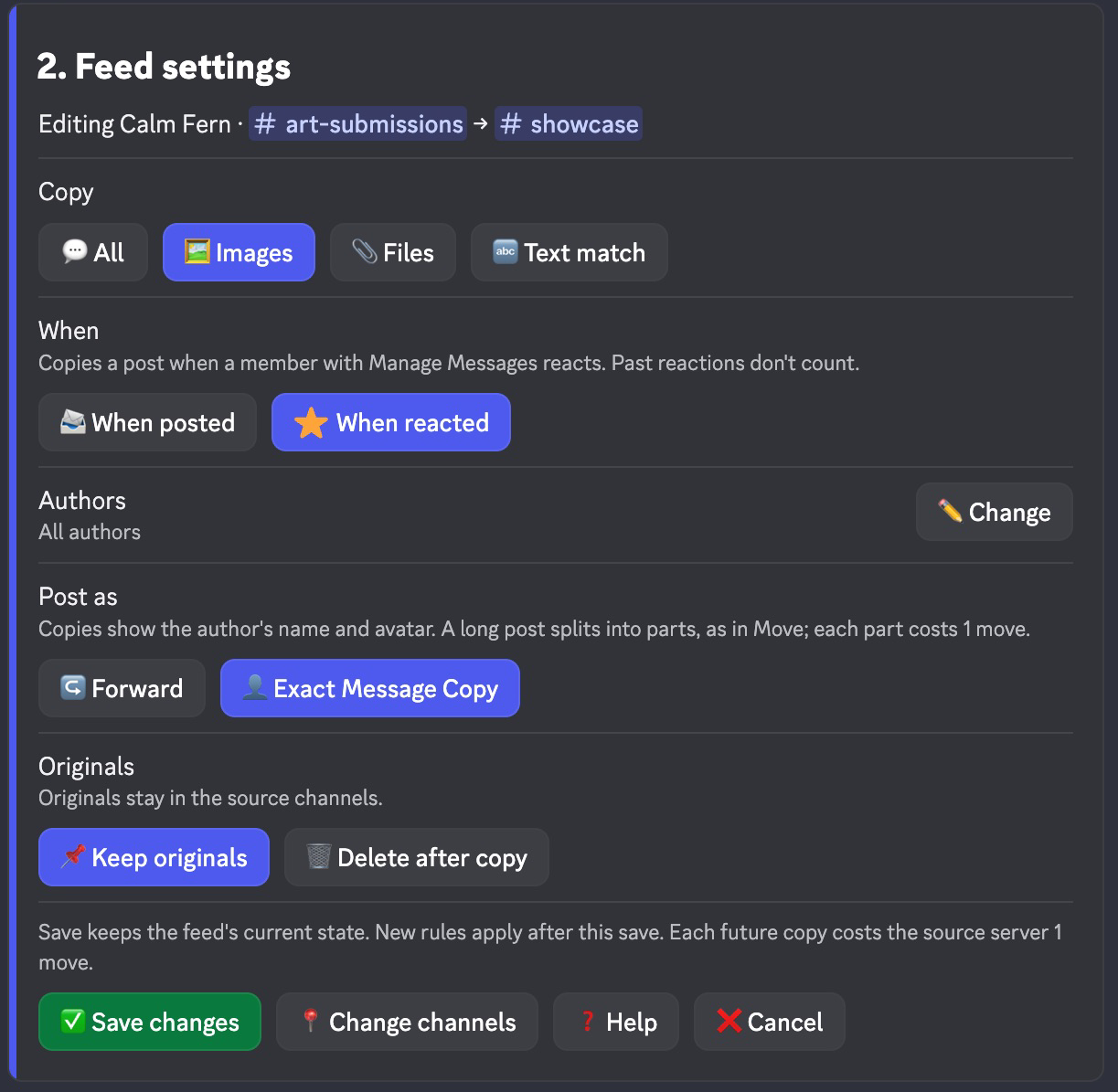
Authors decides whose posts are copied. Select ✏️ Edit and pick a mode:
- 👥 All authors copies members, other bots, and webhooks. New feeds start here.
- 🎯 Only selected copies only the members, bots, and webhooks you pick. With nobody picked it copies nothing, so you can’t save or start it yet.
- 🚫 Everyone except selected skips the ones you pick. With nobody picked it copies everyone.
Pick up to 25 members or bots and up to 25 webhooks from the source channels. Your picks stay when you switch modes. Pippin’s own posts and copies are never copied, even if you pick Pippin. Feeds saved before these modes keep their earlier rule: every human, plus at most one bot and one webhook.
An ignored webhook stays ignored if it moves between your selected channels. Verified Pippin copies are skipped without holding up later posts.
Before copying a webhook post, Pippin checks that the webhook still belongs to that source channel and isn’t Pippin’s. That check needs Manage Webhooks in the source channel. Without it, the post shows as failed with the fix.
Post as decides how copies look:
- ↪️ Forward shows Pippin as sender, with a snapshot and a link to the original. It doesn’t show the original author.
- 👤 Exact Message Copy shows the author’s name and avatar. Pippin needs Manage Webhooks, Attach Files, and Embed Links in the destination. A long post splits into parts, as in Move, and each part costs 1 move. Stickers and interactive layouts fail visibly, and the original is kept. Nothing is dropped.

Select ✏️ Edit on the saved feed. It opens Settings; 📍 Change channels opens Channels. Back keeps your choices. ❌ Cancel discards them. Opening Edit changes no live settings. ✅ Save changes keeps the feed running or paused. It checks current permissions and approval again. A refusal keeps your choices. If another moderator saves first, cancel and reopen Edit to use the latest settings. To change a cross-server destination, select 📍 Change destination beside the saved target on Channels. Finish Save changes in the target server. The current destination stays active until that save.
Saved changes apply only after the save boundary. Unsent old work is cancelled. Accepted and uncertain copies keep their original destination receipts. Pending old deletions are cancelled. Newly added sources do not import old history.
Originals defaults to 📌 Keep originals. 🗑️ Delete after copy lets Pippin delete each original after its whole copy lands and its move is charged. Pippin needs Manage Messages in the source channels. It checks deletion before copying a later post or reading an unrelated source.
With deletion on, the buttons that start copying say so: ▶️ Start feed (deletes originals) and ✅ Save changes (deletes originals). A line above them states what the click approves.
Before deleting, Pippin checks permissions and reads the original again. If the original changed or the copy is missing, it keeps the original. Discord has no conditional delete, so an edit made between that check and the delete can’t be caught. Pause and Delete feed cancel waiting deletions. Feeds saved before this option keep their originals.
Manage a feed
Select Open next to a feed. Its panel shows the channels, settings, copy counts, and problems. It offers one state action:
- ▶️ Start feed on a feed that never ran copies new posts from now on. Old history is not imported.
- ⏸️ Pause feed stops new copies.
- ▶️ Start feed on a paused feed catches up on at most 24 hours and 300 posts per channel.
Slow actions show progress at once, for example ⏳ Saving changes…. If Pippin
refuses an action, the panel keeps your place and explains the fix. Permission
problems list each permission as granted or missing.
Problems and recovery
A failed or uncertain copy appears on the main panel with inspection links. It blocks later posts from its channel until resolved. Old uncertain receipts remain visible after edits without blocking unrelated new work.
An uncertain send may already exist in the destination, and Pippin never resends it. Check the destination, then select ⏭️ Skip delivery and confirm. A skip never resends or charges. You don’t need route or delivery IDs.
🗑️ Delete feed… asks for confirmation. Deleting stops the feed for good, cancels queued copies, keeps existing copies, and frees the feed’s slot.
A source deletion has a separate result on the main panel. If its result is uncertain, select Resolve deletion and inspect the original. Confirm Keep original or Retry deletion. Pippin never repeats an uncertain deletion without that approval. Recovery never copies or charges that post again.
Feed audit log
On the feed list, select Feed audit log. Choose a text or announcement channel with the native picker. Select 🔕 Turn off to stop notifications. This channel is separate from the manual move audit channel. Pippin checks current Manage Server permission and sends a confirmation without mentions before saving the channel.
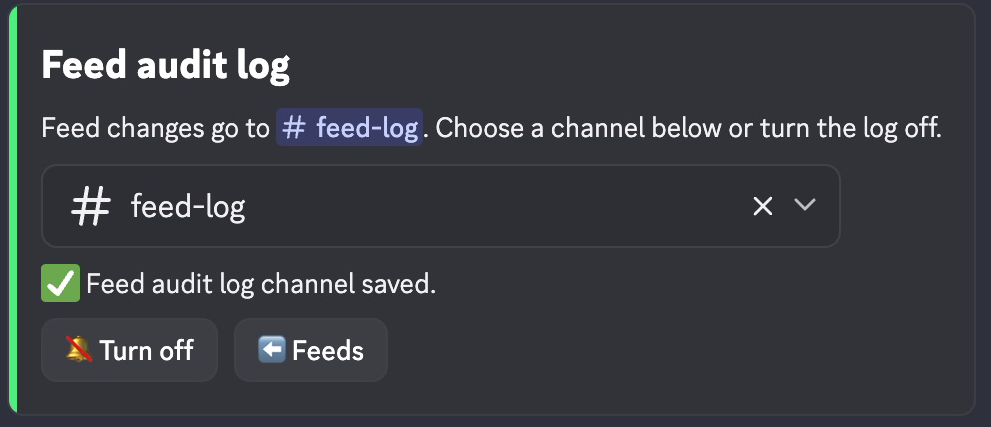
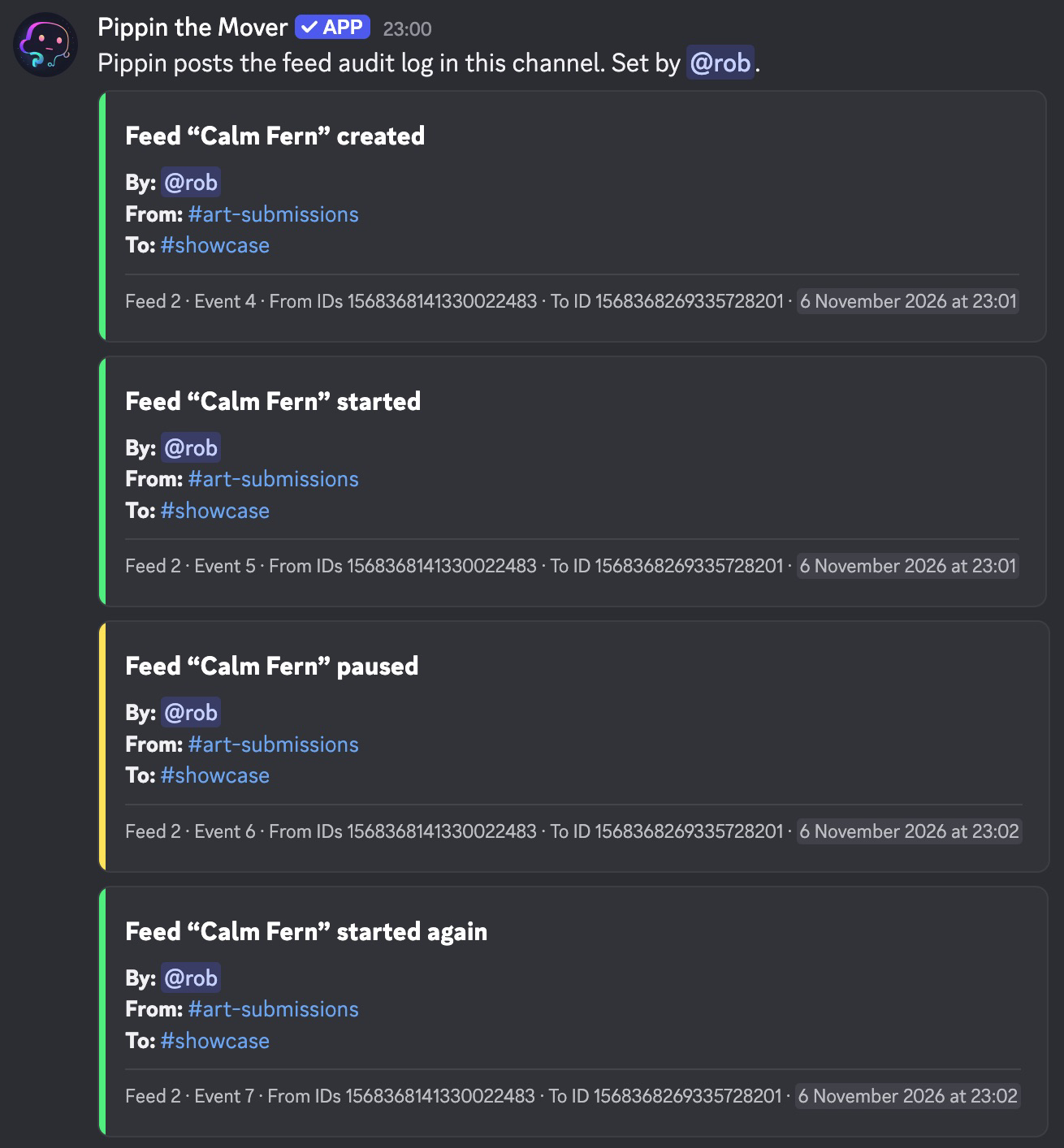
For cross-server feeds, each server configures its own feed audit channel. Turning the log off keeps existing lifecycle and notification receipts.
Catch-up covers at most 24 hours and 300 messages per channel scan. The backlog holds at most 500 waiting deliveries. The panel reports gaps when these limits leave posts uncopied. Deleted messages can’t be recovered. Each channel keeps its own order. Exactly-once delivery is not promised.
Pippin checks access before admitting new work and before copying. A quiet source can show permission changes when new work appears. Failure in one feed does not stop other matching feeds.
A post that can’t be copied gets a feed audit entry with a link to the original. The original is never deleted unless its whole copy landed.
Cost
A server can own 1 feed on Free, 3 on Monthly Starter, and 10 on Unlimited or any Lifetime plan. Deleting a feed frees its slot. Incoming feeds count for the server they copy from. Home shows how many slots are used.
Each copy that lands costs the source server one move. A long post that Exact Message Copy splits into parts costs one move per part. Repeated selections and charge settlement cost nothing extra. Originals stay unless deletion is selected. Mentions never ping. Later edits, deletes, and reaction votes don’t follow the copy.